|
||||||||||||||||||||||
|
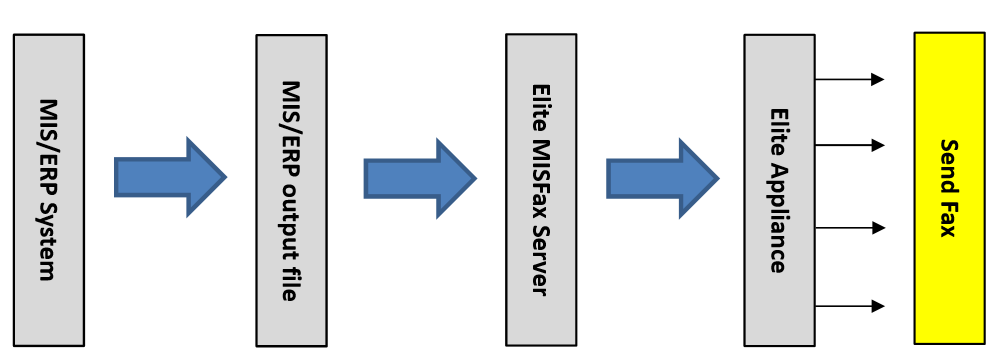
MISFax Server Nowadays a lot of corporations rely on the MIS/ERP system to increase their competitiveness. Very often, the MIS/ERP system generates different kinds of statements or reports needed to be sent out sometimes through emails sometimes through faxes. It is in this situation that some of these corporations find themselves that certain segments of their business operations still need to use fax to communicate either with their customers or upstream suppliers; and at times volume of this kind of fax transaction can be huge and quite often utilization peaks at certain time of the day, week, month or quarter. Most MIS/ERP systems are not capable to actually carry out this fax-sending task; and not to mention handling sudden surge of huge transactions. To bridge this gap, Elite MISFax Server together with Elite Fax Appliance offers you a fully automated solution to handle bulk fax transactions. All you need is to have your MIS/ERP engineers to write a small program to extract the related fax-sending information from the MIS/ERP system and have them output and stored in certain folders. This effectively pipelined them into the MISFax Server which then the MISFax Server queue them into the Elite Fax Appliance. Depending on configurations, this fully automatic solution offered by Elite MISFax Server can easily process a continuous stream of 500 outbound faxes a day, or 5000 pages of fax in 60 minutes. This saves a lot of human efforts, and needless to say human errors.
The underlying mechanism of the MISFax Server is to utilize the data-streaming concept that the MIS system will need to supply a stream of CFF (Control Fax File) in designated folder where the MISFax Server will pick up so as to carry out the necessary conversion before sending them out to the Appliance for the actual faxing. The MISFax Server supports the below formats from the MIS/ERP system: (a) pure text, (b) Microsoft Office files, (c) Adobe PDF, and (d) a mixture of the above. Designed with the capability to handle large quantity of outbound faxes in short duration, this MISFax Server is highly configurable to support a maximum of 10 Appliances, each Appliance with 8 ports. Below are the additional features:
|
|||||||||||||||||||||